
Mobile App Security: Verification with OWASP MASVS
The OWASP MASVS framework for mobile app security: secure data storage, TLS and certificate pinning, WebView risks, reverse engineering resilience and a pre-release verification checklist.
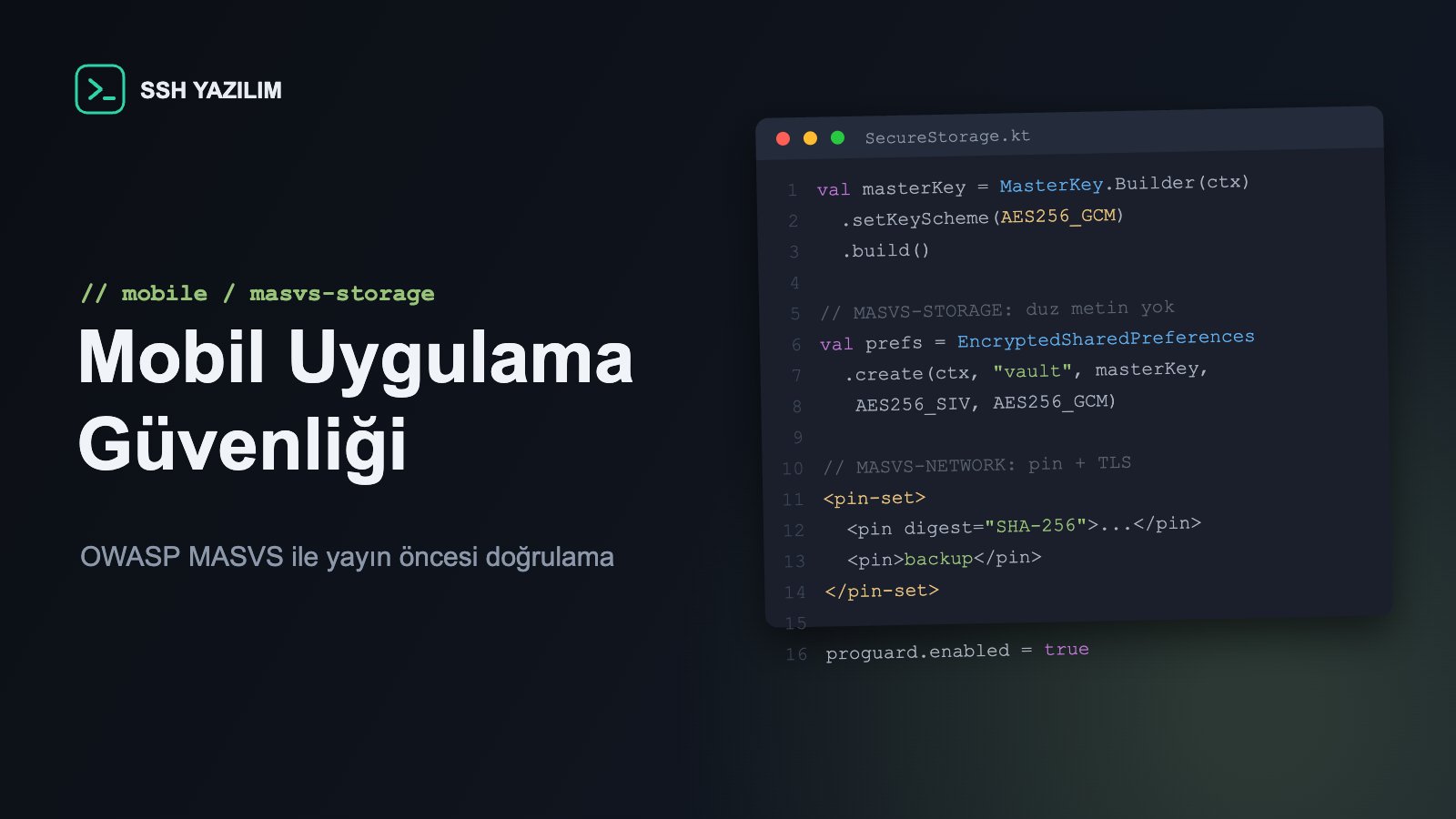
Why is mobile app security different from web security?
In a mobile app, your code runs on the attacker's device: the APK/IPA can be downloaded, decompiled, its network traffic intercepted, and every secret you embed must be considered readable. On the web, the server is under your control; on mobile, the client side sits in hostile territory. That difference requires the security model to be designed differently from the start.
OWASP MASVS: the verification standard for mobile security
OWASP MASVS (Mobile Application Security Verification Standard) is the open standard that turns mobile security into measurable requirements; its companion, MASTG, describes how to test them. Current MASVS groups requirements into eight areas:
MASVS area | Scope | Typical weakness |
|---|---|---|
STORAGE | Sensitive data at rest on the device | Tokens written to plain-text preferences |
CRYPTO | Use of cryptography | Hardcoded keys, weak algorithms |
AUTH | Authentication and sessions | Indefinite, persistent device sessions |
NETWORK | Network communication | Disabled TLS validation |
PLATFORM | Platform APIs, WebView, IPC | Insecure WebView, unprotected deep links |
CODE | Code quality and build settings | Debug flags, outdated SDK targets |
RESILIENCE | Reverse engineering resistance | No obfuscation or integrity checks |
PRIVACY | User privacy | Excessive data and permission collection |
STORAGE: data on the device belongs to the device owner
The base rule: do not store sensitive data you do not have to store. When you must, use the platform's hardware-backed mechanisms: the Keystore system and encrypted preference/file APIs on Android, the Keychain on iOS. Writing access tokens to plain SharedPreferences or UserDefaults is the single most common finding in mobile penetration tests. Sensitive data in logs belongs to the same chapter: verbose logging must be disabled in production builds.
NETWORK: TLS is not negotiable
All traffic must flow over TLS, and development-time shortcuts that relax certificate validation (trust-all TrustManagers and the like) must never ship. Certificate pinning adds protection against interception — at an operational cost: plan it with backup pins and an update strategy so certificate rotation cannot brick the app. Android's Network Security Config and iOS's App Transport Security are where these policies are declared.
PLATFORM: the WebView and deep link doors
A WebView is a browser inside your app; misconfigured, it combines web vulnerabilities with the app's privileges. Enable JavaScript only when needed, keep native bridges narrow, and load only content you control. Deep links and app links are external commands: never route unvalidated parameters into sensitive screens, and require re-authorization for sensitive actions.
RESILIENCE: the deterrence layer
Code obfuscation (R8/ProGuard on Android), root/jailbreak detection and integrity checks will not stop a determined attacker — MASVS itself says so. Their purpose is to raise the cost of attack and deter automated, at-scale abuse. Sequence matters: harden the fundamentals (STORAGE, NETWORK) first; RESILIENCE goes on top, never in place of them.
Embedded secrets: there are no secrets inside an APK
Embedding API keys, signing secrets or fixed credentials in the app package is equivalent to publishing them — extraction takes minutes with standard tooling. The correct architecture keeps secrets server-side, has the mobile client work with short-lived tokens, and routes third-party API calls through your own backend wherever possible.
Business impact: store trust and enterprise distribution
Mobile security gaps cost through two channels: KVKK/GDPR obligations and brand damage in a breach, and failed MDM/security assessments in enterprise distribution. In sectors like banking and healthcare, customers increasingly ask for MASVS-based verification reports. An independent pre-release mobile penetration test is both the answer to those questions and insurance against a post-launch crisis.
Frequently asked questions
Is certificate pinning mandatory?
Not for the baseline MASVS level; it is strongly recommended for high-risk apps (finance, health). Never deploy it without backup pins and a rotation plan.
Should root detection block the user?
It depends on risk appetite: finance apps usually block or restrict functionality; others flag the risk and add server-side controls. Remember that detection can be bypassed.
Does biometric auth replace passwords?
Biometrics are a practical device-level second factor; they belong alongside server-side authentication, not in place of it. Protecting cryptographic keys with biometrics (Keystore/Keychain) is the right pattern.
Do Flutter/React Native change the picture?
Cross-platform frameworks do not change the fundamentals: storage, TLS, secret management and platform API rules apply unchanged — plus you must manage the framework's own package-ecosystem dependency risk.
Pre-release verification checklist
Inventory of sensitive data stored on device; unnecessary items removed
Remaining sensitive data in Keystore/Keychain-backed mechanisms
Full TLS validation in production; development relaxations removed
WebView configuration and deep link parameter validation reviewed
Package scanned for embedded secrets; secrets moved to the backend
Production build: debug off, logging restricted, obfuscation on
MASVS-based penetration test report obtained
SSH Yazılım provides MASVS-based security assessment and hardening for your mobile applications. Get in touch for pre-release verification.